Your Ad Here

Showing posts with label PC_Graphic. Show all posts

Thursday, February 19, 2009

Photo Combiner 5.79

0 comments


Make wonderful picture for your family easily. Only need few mouse-clicks.

You can easily enhance your photo effects by blending your digital photos onto another image. The photo will be masked as special effect which you can select from a lot of masks.
You can also easily add cool frame onto your pictures. And you can insert text into pictures with speech frame.
It makes your photo more interesting and attractive.
You can easily change the size and position of the photos just by clicking and dragging them. You can even rotate the photo.

DOWNLOAD HERE

Wednesday, February 18, 2009

DreamLight Photo Editor 2.7

0 comments
DreamLight Photo Editor is an image editing software to add many dream effects onto your digital photos.

As long as you have some degree of artistic talent, it's possible to give your digital photos a creative new look by applying effects to them. DreamLight Photo Editor is a program dedicated to helping you do just that, and adding special effects is as easy as opening a photo, then viewing the preview of an effect before selecting it to apply it to your image. There are dozens of different filters to choose from and all are clearly divided into different categories.

DreamLight Photo Editor is an image editing software to add many dream effects onto your digital photos. With DreamLight Photo Editor, just by mouse-clicking, you can add many wonderful effects, such as Preset filter, Light filter, Star filter, Amazing filter, Dream filter, Weather filter, Gradient filter, Color filter, Art filter, Texture filter, and Edge filter, all including multiple effects. There are 150 single special effects in total for you to choose from.

Besides using the single effect, you can also use multi effects on one photo. For example, first use one of Light effects, second use one of Star effects, then use one of Edge effects. This way, you will get thousands of different special effects to apply to your photos.

Languages:
English, German, French, Catalan, Danish, Dutch, Italian, Norwegian, Portuguese BR

OS requirements for Dreamlight Photo Editor:
* OS: Win95/98/98SE/Me/2000/NT/XP/2003/Vista

DOWNLOAD HERE

Photo Mechanic 4.5.4

0 comments


Photo Mechanic is a photo “browser” designed with speed and ease of use in mind. You can call it a “photo editor” as well. But unlike other photo editing programs that are designed to work with one photo at a time in order to edit its pixels, Photo Mechanic is designed to work with groups of photos together in order to manage them. Professional photo editors who handle lots of photos daily, often under deadline, understand this distinction. Their job involves selecting photos, not selecting pixels.

DOWNLOAD HERE

Tuesday, February 17, 2009

Photo Effects 1.7 2009

0 comments


Photo Effects is a new program for processing photos with the help of various filters. With it, you can completely transform any image. The program allows you to use more than 50 effects, including (b-o-th) traditional and original ones. You will be able to take a look at your photos in the rain and snow, in fog and up in the sky, add some sun light to it or swirl it in a typhoon... Windows 98/Me/NT/2000/XP/Vista

DOWNLOAD HERE

Microangelo Toolset 6.10.8

0 comments


Toolset includes an icon editor that creates and edits icons for all Windows platforms. Its four integrated components work together to create, edit, access, find, extract, filter, and manipulate icons and the images they contain. Toolset provides a solid foundation of icon tools used by today's (and tomorrow's) icon masters.

Create and edit icons in all sizes and formats with Toolset's icon editor.

Make icons from PSD, PNG, JPG, or BMP files.

Edit icons inside ICO, ICL, EXE, DLL, and other program files.

Change program icons using a Windows interface or the command line.

Search and extract icons from icon resources, libraries and program files.

Make animated cursors with Animator, Toolset's animated cursor editor.

Microangelo Toolset supports Windows Vista, Windows XP, and Windows 2000, and is available in standard 32-bit and Vista 64-bit versions. Toolset 6 has been tested and proven to deliver a superior experience with a PC running Windows Vista.

DOWNLOAD HERE

Sunday, February 15, 2009

AAA Logo 1.2.1

0 comments


This logo design software will help you to design professional logo image for printing or the Web in minutes! Choose one of 100+ pre-made logo templates as a start point for your logo project or create a blank logo project and make your own logo from scratch. AAA Logo has it's own vector-based logo objects library with more then 2000 customizable logo elements. Exactly the same technique to create logo images using pre-designed logo elements is used by almost all professional logo designers to create logos for their clients.

This logo creation process is simple and saves your time:
1. Download and install AAA Logo - logo design software.
2. Choose logo template from library or start a blank logo
3. Add new logo objects, customize/replace objects from template
4. Customize colors and effects
5. Adjust overall logo colors
6. Export you new logo for the Web or printing !

* The Easiest and Most Powerful Logo Maker Available!
* More than 2000 Logo Objects
* 100+ Build-in Logo Templates

DOWNLOAD HERE
Pass:
bb.bearslinks.info

Saturday, February 14, 2009

Swift 3D 5

0 comments


Swift 3D continues to be the premier 3D tool for rich media designers. It's the only 3D software to directly integrate with Adobe Flash® through the Swift 3D File Importer and SmartLayer Technology, and produces unrivaled vector rendering quality and output style options. Swift 3D's toolset and interface allow anyone to quickly create 3D content, while providing a full set of advanced tools to grow into. And with new Papervision3D export, Swift 3D introduces a whole new realm of true 3D possibilities in Flash. Swift 3D is a powerful, easy-to-use 3D solution that delivers high-quality results.


• The only 3D technology to offer direct integration with Adobe Flash
• Papervision3D Export with built-in mouse interactivity.
• Unrivaled vector rendering quality, speed and output styles.
• Powerful, yet easy-to-use 3D toolset built specifically for Flash designers
• The industry-leading 3D rich media design tool of choice by over 65,000 designers (View Major Customers)
• SmartLayer Technology reduces file size and broadens design possibilities
• Papervision 3D Export with Scripted Mouse Interactivity
• Mesh Morphing Animations
• New User Interface
• 3DS File Export
• Per-Object Render Styles
• User-controlled Flash Optimization
• Apply Transparent Bitmap Textures


DOWNLOAD HERE

Password : muchaco

Thursday, February 5, 2009

Watermark Software v1.4

0 comments
Watermark Software v1.4 WinALL Cracked-CzW

If you are sharing photos to network, you never know what will happen. Someone could take the photos for their own use,or Malicious revised, you might never even know. Watermark software is a professional photo watermark creator. It can helps you add text,image and logo to your pictures to protect your copyrights, only watermarking software can verifies your pictures are protected from unauthorized use. Our photo watermark software is not only watermarking tool, also can add pretty frames for your like, crop images, batch rename and photo resize etc. Watermark software is a fast batch photo processor and support all popular formats.

Features:
» Add text and image to your photos and digital images
» Add pretty frames for your like
» Fast Watermarking Process
» Display EXIF Information
» Support all popular formats
» Image Resize

DOWNLOAD HERE
Mirror

Tuesday, February 3, 2009

Portrait Professional 6.35.60

0 comments
Portrait Professional 6.35.60

Portrait Professional 6.35.60


Portrait Professional is new intelligent portrait airbrushing software that has been 'trained' in human beauty. It lets you improve your photos instantly, just by moving sliders. With Portrait Professional, it's incredibly easy and fast to:

*Subtly reshape all or any aspect of the face to make it more attractive
*Fix skin blemishes such as spots or pimples
*Reduce and/or remove wrinkles
*Remove grease, sweat or unsightly shine highlights from the skin
*Adjust the lighting on the face to make it more flattering
*Remove red eye
*Whiten teeth and eyes

DOWNLOAD HERE

Monday, February 2, 2009

3DText Commander v2.0

0 comments
3DText Commander v2.0

3DText Commander v2.0| 2.34MB


The program for creation of three-dimensional texts. Created by means of Insofta 3D Text Commander three-dimensional texts can be used for creation of banners, buttons, logos, etc. Allows to achieve very fast demanded result thanks to the built in assistant. At first you select a font and simply write the necessary text, then make out it.

The information on the program
The program for creation of three-dimensional texts. Created by means of Insofta 3D Text Commander three-dimensional texts can be used for creation of banners, buttons, logos, etc. Allows to achieve very fast demanded result thanks to the built in assistant. At first you select a font and simply write the necessary text, then make out it. Insofta 3D Text Commander contains set of tools for design, but the most important things are light and shade customisation. Also resizing resources (in any plane), imposing of textures, import and export in 3D and Flash-editors are important. The created object can be saved in any graphics format.

OS: all

Download Depositfiles
Click Here

Download Easyshare
Click Here

Download uploadbox
Click Here

Friday, January 16, 2009

Autodesk 3D Studio Max 2008

0 comments
Autodesk 3D Studio Max 2008
Autodesk 3D Studio Max 2008 (Full])
Tackle any project and achieve the results you want in less time. Autodesk® 3ds Max® 9 software lets you manage complex data and scale your team to meet the needs of next-generation production pipelines
Performance
Work with ever-increasing amounts of data and more complex scenes. The new 64-bit version of Autodesk 3ds Max 9 takes advantage of the latest technology advancements, to address challenges you face in next-generation production pipelines.

Productivity
Quickly model inorganic shapes with Pro Booleans. Place animation into separate layers to easily tweak dense and complex animations. View scene complexity statistics along with the resulting frame rate to measure and optimize scene performance. Feature enhancements in 3ds Max 9—such as faster solving of complex cloth dynamics—deliver the speed and precision needed to meet time-sensitive production deadlines.

Pipeline Efficiencies
Easily share files, track work-in-progress assets, and customize production pipelines to accelerate creative workflows. Improvements to "XRefs" for better interaction with linked assets, support for relative paths, and Autodesk® Vault functionality help production teams optimize workflow and manage collaboration among members of a creative team.

Rendering Enhancements
Produce stunning photo-real imagery. Use new mental ray® 3.5 shaders to easily create beautiful skies with shadows from the sun or simulate metallic car paint. In addition, new presets for ambient occlusion, rounded corner effects, reflections, and refractions make it easier to achieve realistic, stunning results. Harness the full power of the mental ray rendering engine within Autodesk 3ds Max 9 software.
Create rich and complex design visualization. Generate realistic characters for a top-selling game. Bring 3D effects to the big screen. Autodesk 3ds Max 2008 3D modeling, animation, and rendering software helps design visualization professionals, game developers, and visual effects artists maximize their productivity by streamlining the process of working with complex scenes.
New Polygon Modeling Workflow
A collection of “hands-on” modeling options, new in Autodesk® 3ds Max® 2008, lets you take advantage of a more streamlined, artist-friendly modeling workflow. This video introduces you to two of these new options: temporary pivot overrides and a new subobject previewing workflow that lets you preview and select subobjects in one fluid motion and switch between subobject modes in the viewport. You’ll also learn how to take advantage of the new Multiple UV Unwrap operation—a feature that makes it significantly easier to organize the mapping of multiple objects into one texture.

Performance Enhancements
Autodesk 3ds Max 2008 delivers new technology and optimizations that result in vastly improved performance for even the largest, most complex scenes. This video will demonstrate how new adaptive degradation enhancements ensure your viewport interaction rates by automatically simplifying scenes to meet target frame rates. When combined with the new Direct3D mesh caching, which groups objects by materials, the result is that tens of thousands of objects become just as interactive as ten objects. Plus, you’ll see how easy it is to control the degree to which 3ds Max simplifies your scene: You just select a desired level of viewport interactivity and 3ds Max calculates how best to achieve it.

Review Rendering
The powerful, new Review rendering toolset gives you immediate feedback on various render settings, enabling you to iterate rapidly. This means you can now quickly hone in on your desired look without waiting for a software render—perfect for over-the-shoulder client/boss feedback sessions and other iterative workflows. This video demonstrates the Review rendering toolset’s ability to deliver interactive viewport previewing of shadows, its improved workflow for those using the 3ds Max Sun/Sky system, and new mental ray Architectural and Design material settings. You’ll also learn how to take advantage of the new mental ray Sky Portal system—a workflow that simplifies the process of lighting indoor scenes with outdoor lighting.

Autodesk 3ds Max/Revit Interoperability
Deeper support in 3ds Max 2008 for the DWG™ file format results in faster, more accurate importing of data from other popular Autodesk applications such as Revit® Architecture 2008. This video will introduce you to two new features that streamline 3ds Max/Revit workflows: support for DWG solids—including all materials assigned to these objects—and support for imported Sun/Sky/geographic location parameters, including time of day and time zone.

Autodesk 3ds Max/mental ray Enhancements
A number of major enhancements to mental ray and the 3ds Max 2008/mental ray workflow will help you to achieve your desired look faster. This video introduces you to

* The Sky Portal workflow for lighting indoor scenes with outdoor lighting
* The self-illumination feature for mental ray Architecture and Design materials
* The Render to Texture presets
* The photographic exposure UI—a camera-based interface for managing exposure settings (tone-mapping)

DOWNLOAD:
Part1
Part2
Part3
Part4
Part5
Part6
Part7

Tuesday, January 13, 2009

Morpheus Photo Morpher™ v3.10

0 comments


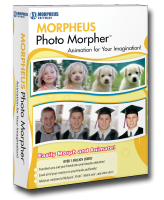
Morpheus Photo Animation Suite v3.10.4130 is an excellent application that will allow you to create stunning visual effects, with professional results.
Bring Your Pictures to Life! Morph, Warp & Mix Your Photos! The all-in-one animation suite includes:
* Morpheus Photo Morpher v3.10
* Morpheus Photo Warper v3.10
* Morpheus Photo Mixer v3.10
* All 15 sample morphs, warps, and mixes...
If you like animation, you'll love Morpheus Photo Animation Suite!
* Morph your baby photo into your own picture today.
* Transform your wife into her mother or your husband into one of the Beatles.
* See what happens when you mix any two celebrity heads together.
* Surprise a wedding couple by mixing the faces of the bride and groom.
* Show your husband what he would look like if he lost some weight or gained more muscle.
* Transform the image of your favorite movie star or musical artist!

Now Anyone Can Use Flash!
No technical skills required - anyone can make a photo animation in just seconds! Save morphs in Flash, AVI, Animated GIF and other popular formats. Who knew home digital photography could be this much FUN!

Share Your Animations - Amaze Your Friends & Family!
Email your animations using the software's Share Animation feature. Before you know it, your animations will be forwarded from one person to another! Spice up your website or blog. Post your animations and videos to sites like Flickr and YouTube, or submit them to Animania!, the Morpheus Software blog. Make your MySpace page or Match.com profile stand out.

Morpheus Photo Morpher v3.10 - Morphing software that transforms one person or object into another right before your eyes.
Morpheus Photo Warper v3.10 - Distortion software that warps and exaggerates portions of photos such as body parts.
Morpheus Photo Mixer v3.10 - Compositing software that mixes up faces and body parts between two photos.
Morpheus Photo Animation Suite v3.10 - A suite which contains all Morpheus digital photo animation software titles, plus all of the sample animations.

Features
* Easy to use wizard to help you get started, plus all program's samples to play with
* Morphing an infinite number of pictures from one to another
* An Upload Wizard to send your animations directly to Morpheus Galleries, YouTube, or Photobucket
* Sharing animations with friends and family seamlessly with the built-in email feature
* A completely redesigned program with an incredible new interface for working on multiple pictures
* A lighting-fast rendering engine for previewing morphs by playing them right inside the program
* Picture dotting process with changeable colors, shapes, and sizes for creating top quality morphs
* Rendering morphs in a variety of popular formats including Flash SWF and Animated GIF
* Exporting morph frames in still formats such as JPEG, PNG, TIFF, and more
* Generating sample web page html for each rendered file
* Saving your layouts as you work, in a portable XML format
* Zooming to any level for precision dot placement as well as morphing of large images
* A timeline window to quickly see a thumbnail of every frame in your morph

This guide provides a rough overview as to what changes have taken place between each major release of Morpheus Photo Animation Suite.
Morpheus Photo Animation Suite v3.10
* Added all-new upload wizard with integration to Morpheus Galleries, YouTube, and Photobucket
* Cool new Office 2007 style skin
* Improved Vista compatibility
* Other minor bug fixes

System Requirements:
* Windows 98SE/ME/2000/XP/Vista
* 500MHz or faster
* 64M of RAM or more
* 800x600 pixels or higher

For Movie File Support:
* Windows Media Player 9 or newer
* On Windows 98SE/2000, DirectX 8.0 or newer

DOWNLOAD HERE

Patch
/
 

Copyright 2008 All Rights Reserved Revolution Two Church theme by Brian Gardner Converted into Blogger Template by Bloganol dot com